<!DOCTYPE html>
<html lang="zh-CN">
<head>
<meta charset="UTF-8">
<meta name="viewport" content="width=device-width, initial-scale=1.0">
<title>代码展示容器(浅色版)</title>
<style>
* {
margin: 0;
padding: 0;
box-sizing: border-box;
}
body {
background-color: #ffffff; /* 页面背景改为白色,适配浅色容器 */
padding: 2rem;
}
/* 代码容器样式 - 浅色改版 */
.code-container {
position: relative;
background-color: #f8fafc; /* 浅灰背景,浅色核心 */
border: 1px solid #e2e8f0; /* 浅边框提升质感 */
border-radius: 6px;
padding: 1.2rem;
max-width: 900px;
margin: 0 auto;
box-shadow: 0 1px 3px rgba(0,0,0,0.05); /* 轻微阴影,增加层次感 */
}
/* 头部区域(标题+复制按钮) */
.header {
display: flex;
justify-content: space-between;
align-items: center;
margin-bottom: 1rem;
}
.title {
font-size: 1.1rem;
color: #1e293b; /* 深色标题,保证可读性 */
font-weight: 500;
/* 无需额外添加 text-align: left; 原布局默认居左,添加后可进一步强化,效果一致 */
/* text-align: left; */
}
.copy-btn {
background: transparent;
border: none;
color: #2563eb; /* 深蓝色文字,适配浅色风格且醒目 */
cursor: pointer;
font-size: 1rem;
padding: 0.4rem 0.6rem;
transition: color 0.2s ease;
}
.copy-btn:hover {
color: #3b82f6; /* 浅一点的蓝色,hover交互效果 */
}
/* 代码块样式 - 浅色适配 */
.code-block {
color: #1f2937; /* 深灰文字,保证代码可读性 */
font-family: 'Consolas', 'Monaco', monospace; /* 等宽字体 */
white-space: pre-wrap; /* 保留换行和空格 */
line-height: 1.6;
overflow-x: auto; /* 超出部分滚动 */
}
</style>
</head>
<body>
<div class="code-container">
<div class="header">
<!-- 核心修改:标题文字改为「中文提示词」,默认居左 -->
<span class="title">中文提示词</span>
<button class="copy-btn">复制</button>
</div>
<pre class="code-block"><code>{
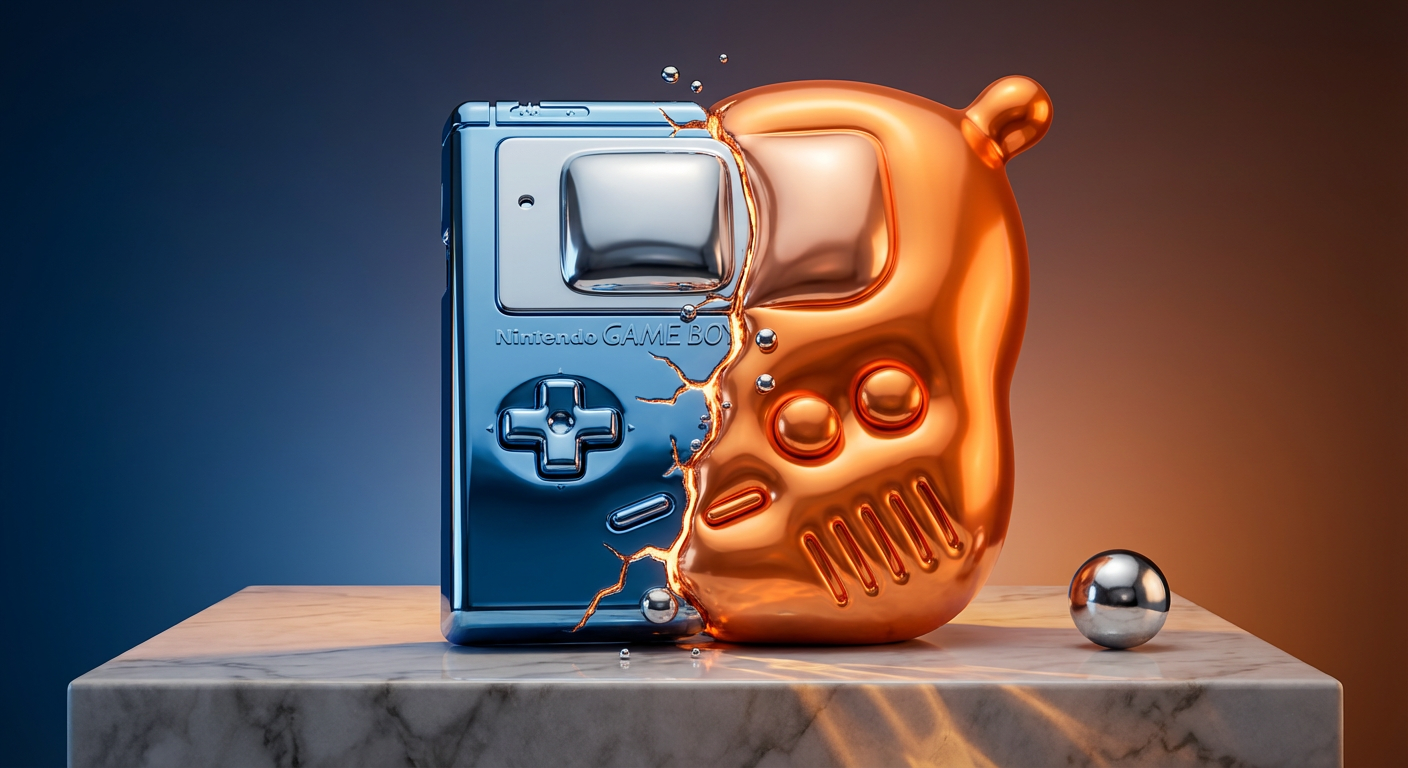
一个[PRODUCT]在颜色转变铬[COLOR to COLOR]中捕捉中途转变:左侧刚性和棱角,右侧不可能膨胀如气球。[MAIN BODY]枕状和凸起。[BUTTONS/CONTROLS]肿胀成柔软蓬松圆顶。[EDGES/CORNERS]膨胀成光滑管。[SURFACE DETAILS/LOGOS]升起如铬水泡。[PORTS/JOINTS]威胁在接缝处爆裂。细应力裂缝在转变边界发光熔铜金,小铬液滴漂浮在半空中。弯曲表面扭曲豪华陈列室反射。一个单一水银球在旁边为比例。定位在[PLACE],渐变背景[COLOR]。分裂照明,温暖钨在刚性部分,凉LED在膨胀形式,下方投射腐蚀图案。超现实主义遇奢侈汽车。棱角部分锐利镜面,柔和高光追踪膨胀压力。单一英雄物体在状态之间,超高分辨率,漂浮的重量。
}</code></pre>
</div>
<script>
// 复制按钮功能(保持不变,正常生效)
const copyBtn = document.querySelector('.copy-btn');
const codeText = document.querySelector('.code-block code').textContent;
copyBtn.addEventListener('click', () => {
// 复制文本到剪贴板
navigator.clipboard.writeText(codeText).then(() => {
// 临时修改按钮文字提示
const originalText = copyBtn.textContent;
copyBtn.textContent = '已复制';
setTimeout(() => {
copyBtn.textContent = originalText;
}, 2000);
}).catch(err => {
console.error('复制失败:', err);
});
});
</script>
</body>
</html>
<!DOCTYPE html>
<html lang="zh-CN">
<head>
<meta charset="UTF-8">
<meta name="viewport" content="width=device-width, initial-scale=1.0">
<title>代码展示容器(浅色版)</title>
<style>
* {
margin: 0;
padding: 0;
box-sizing: border-box;
}
body {
background-color: #ffffff; /* 页面背景改为白色,适配浅色容器 */
padding: 2rem;
}
/* 代码容器样式 - 浅色改版 */
.code-container {
position: relative;
background-color: #f8fafc; /* 浅灰背景,浅色核心 */
border: 1px solid #e2e8f0; /* 浅边框提升质感 */
border-radius: 6px;
padding: 1.2rem;
max-width: 900px;
margin: 0 auto;
box-shadow: 0 1px 3px rgba(0,0,0,0.05); /* 轻微阴影,增加层次感 */
}
/* 头部区域(标题+复制按钮) */
.header {
display: flex;
justify-content: space-between;
align-items: center;
margin-bottom: 1rem;
}
.title {
font-size: 1.1rem;
color: #1e293b; /* 深色标题,保证可读性 */
font-weight: 500;
/* 无需额外添加 text-align: left; 原布局默认居左,添加后可进一步强化,效果一致 */
/* text-align: left; */
}
.copy-btn {
background: transparent;
border: none;
color: #2563eb; /* 深蓝色文字,适配浅色风格且醒目 */
cursor: pointer;
font-size: 1rem;
padding: 0.4rem 0.6rem;
transition: color 0.2s ease;
}
.copy-btn:hover {
color: #3b82f6; /* 浅一点的蓝色,hover交互效果 */
}
/* 代码块样式 - 浅色适配 */
.code-block {
color: #1f2937; /* 深灰文字,保证代码可读性 */
font-family: 'Consolas', 'Monaco', monospace; /* 等宽字体 */
white-space: pre-wrap; /* 保留换行和空格 */
line-height: 1.6;
overflow-x: auto; /* 超出部分滚动 */
}
</style>
</head>
<body>
<div class="code-container">
<div class="header">
<!-- 核心修改:标题文字改为「中文提示词」,默认居左 -->
<span class="title">英文提示词</span>
<button class="copy-btn">复制</button>
</div>
<pre class="code-block"><code>{
A [PRODUCT] in color-shifting chrome [COLOR to COLOR] captured mid-transformation: left side rigid and angular, right side impossibly inflated like a balloon. [MAIN BODY] pillowy and bulging. [BUTTONS/CONTROLS] swollen into soft puffy domes. [EDGES/CORNERS] ballooned into smooth tubes. [SURFACE DETAILS/LOGOS] risen like chrome blisters. [PORTS/JOINTS] threatening to burst at the seams. Thin stress fractures glow molten copper-gold at the transformation boundary, small chrome droplets floating mid-air. Warped reflections of a luxury showroom in the curved surfaces. A single mercury sphere beside it for scale. Positioned on [PLACE], gradient backdrop [COLOR]. Split lighting, warm tungsten on rigid sections, cool LED on inflated forms, caustic patterns cast below. Surrealist meets luxury automotive. Sharp specular on angular parts, soft highlights tracing inflation pressure. Single hero object between states, ultra-high resolution, the weight that floats.
}</code></pre>
</div>
<script>
// 复制按钮功能(保持不变,正常生效)
const copyBtn = document.querySelector('.copy-btn');
const codeText = document.querySelector('.code-block code').textContent;
copyBtn.addEventListener('click', () => {
// 复制文本到剪贴板
navigator.clipboard.writeText(codeText).then(() => {
// 临时修改按钮文字提示
const originalText = copyBtn.textContent;
copyBtn.textContent = '已复制';
setTimeout(() => {
copyBtn.textContent = originalText;
}, 2000);
}).catch(err => {
console.error('复制失败:', err);
});
});
</script>
</body>
</html>